Product tour
Three screens, in the order a retro actually happens.
The board for the hour. The close-out for the end of the engagement. The Practice view for the delivery lead who has to answer for all of them.
01 · The board
Fixed columns, hidden totals and last time's promises at the top.
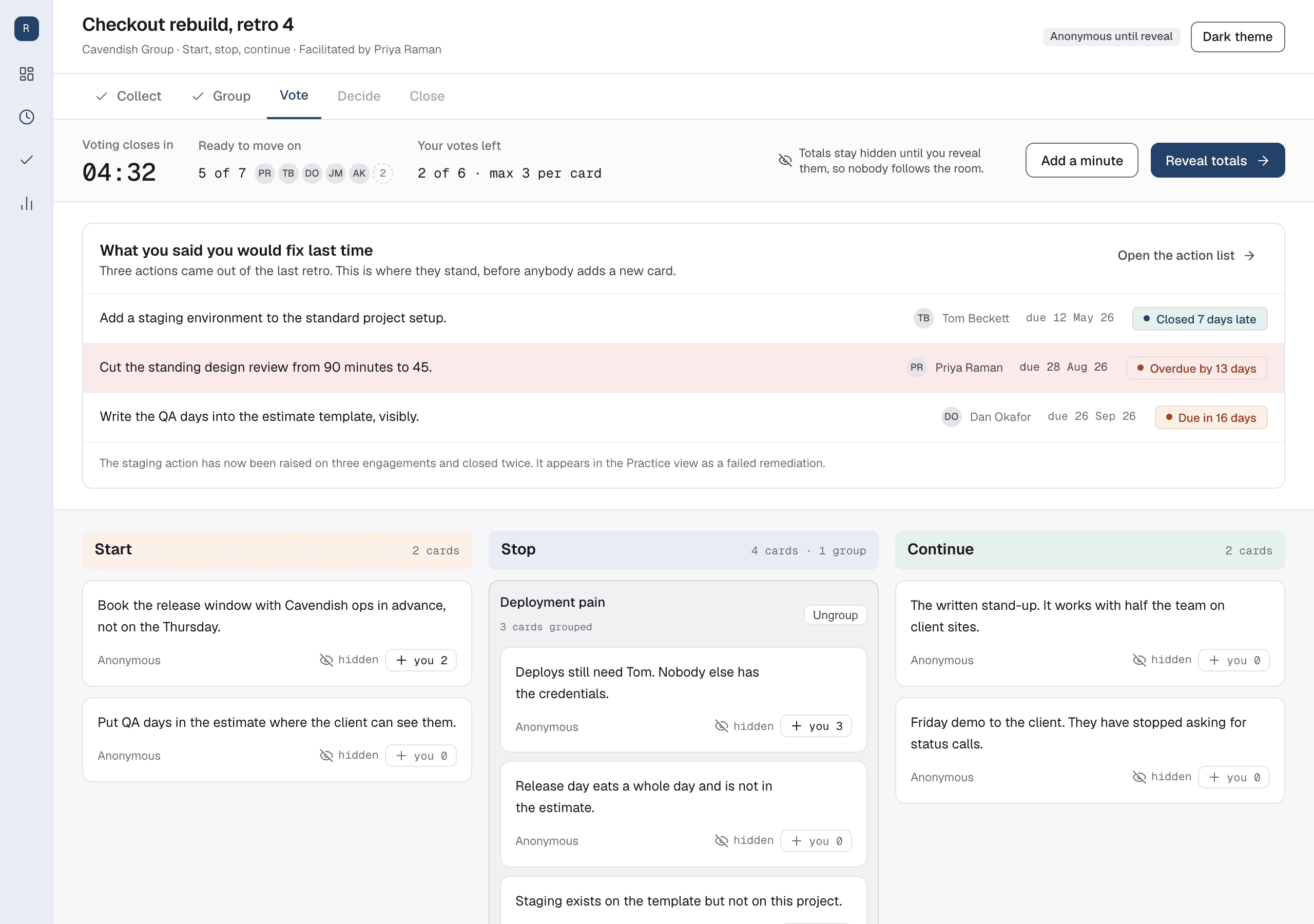
Every retrospective opens with the Actions from the last one and whether they held.
Columns come from a preset Format, so a Team writes under the same headings every time and a Theme can be read across them later. Vote totals stay hidden until the Facilitator reveals them, because a running total in view produces herding. Anonymity is set per Retro and enforced on the server, so a name never travels in a payload it should not.
- A readiness indicator, so the Facilitator can see who is done and who is still writing
- Grouping that never moves a Vote, so ungrouping is safe
- Async by default, so a consultant on a client site adds Cards on Tuesday
An example, not a customer. The firm, the people and the Cards in this picture are invented.
02 · The close-out
The Format no other retro tool has, because no other retro tool is for consultancies.
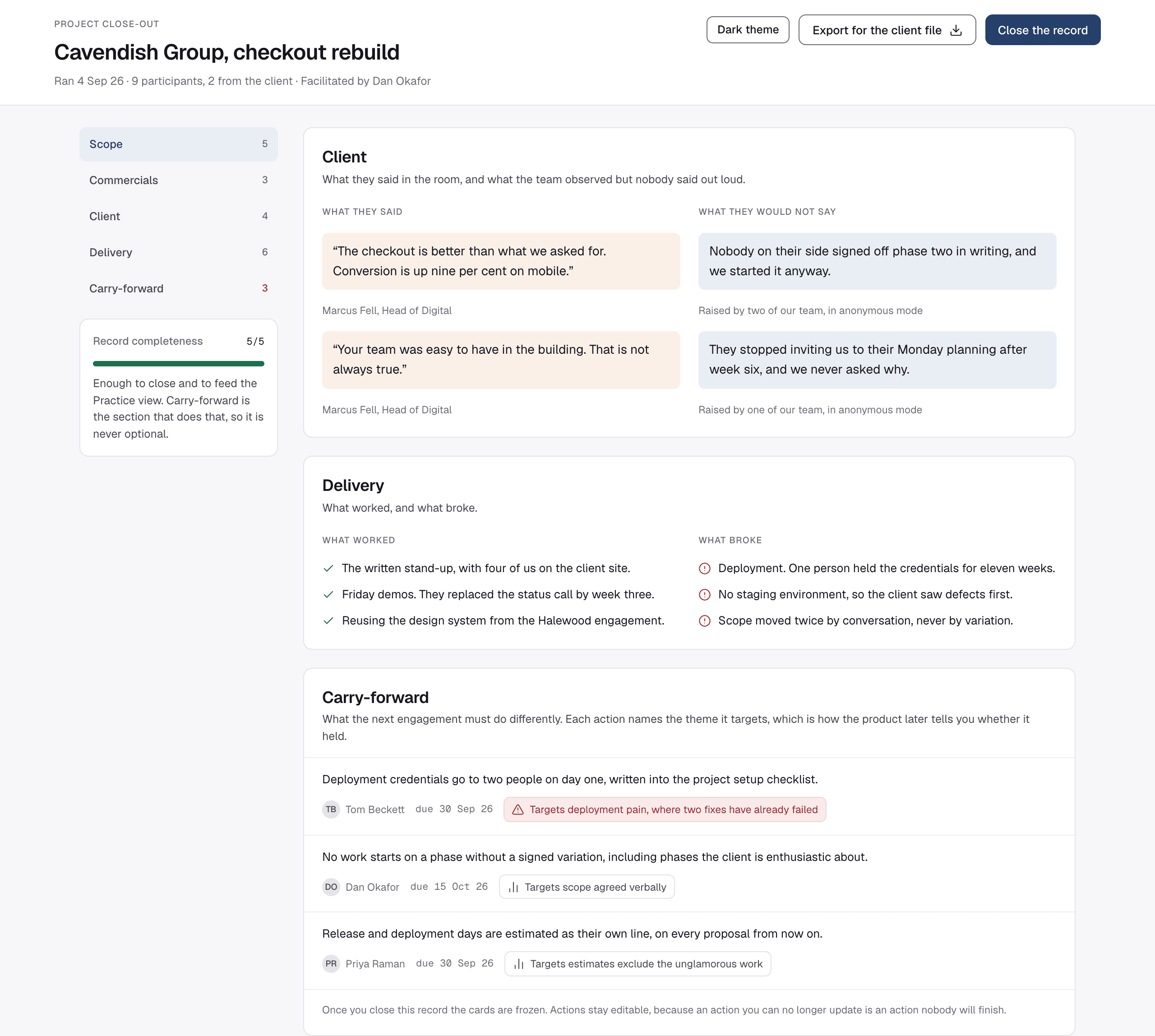
A project close-out is a retrospective Format with five fixed sections, in this order: Scope, planned against delivered; Commercials, what cost margin and why; Client, what they said and what they would not say; Delivery, what worked and what broke; Carry-forward, what the next engagement must do differently.
The Facilitator chooses which sections go into the generated report, so the version that reaches the client can leave Commercials out. Every carry-forward Action names the Theme it targets, which is how the product later tells you whether it held.
What each band includesAn example, not a customer. The firm, the figures and the engagement in this picture are invented.
03 · The Practice view
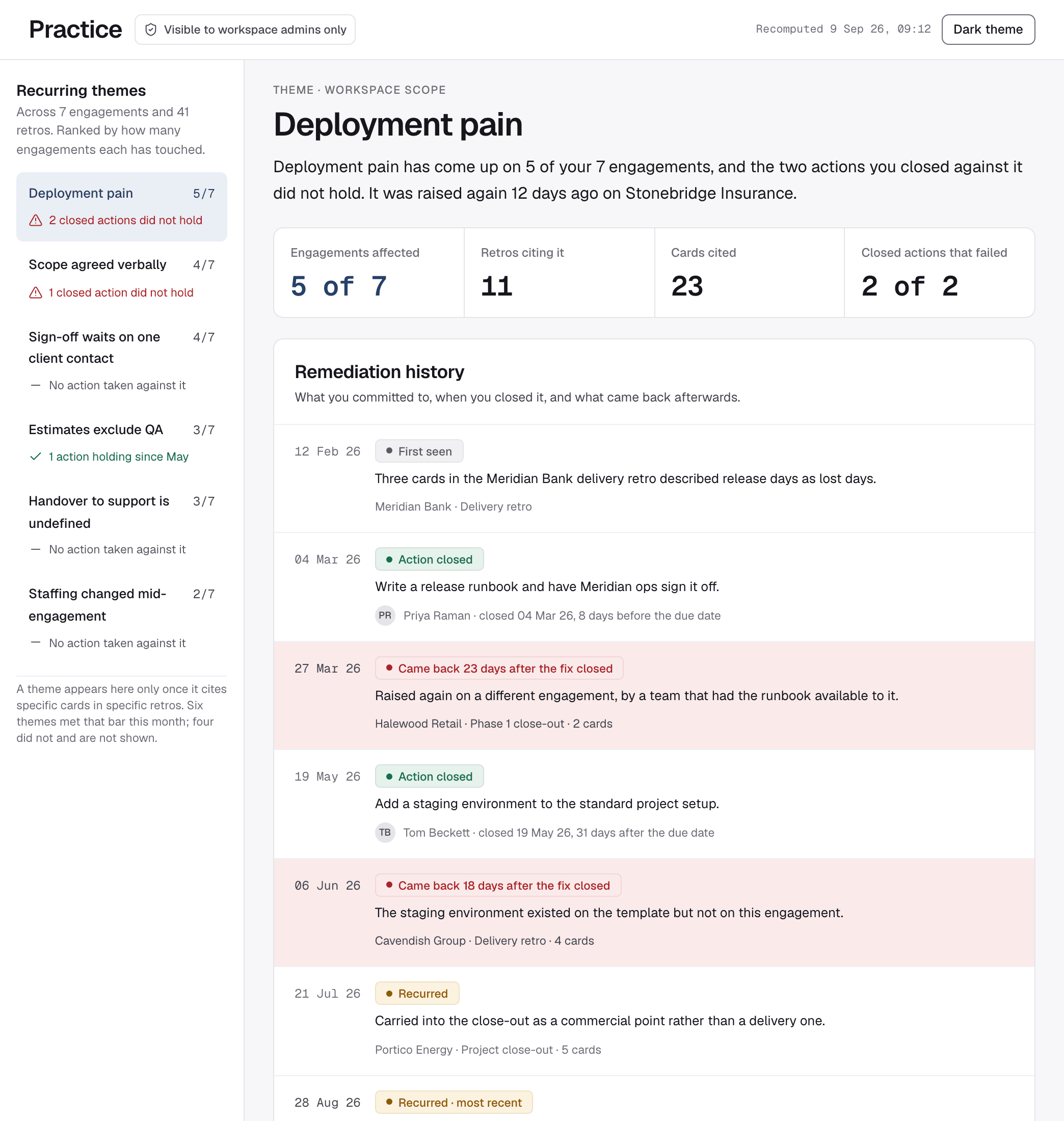
5 of 7 engagements. Two fixes that did not hold. The Cards to prove it.
The Practice view reads a whole practice of retrospectives at once, across every engagement. It is visible to Workspace admins only, because it cites several clients in one place.
Each Theme shows the engagements it appeared on, the Actions closed against it with their dates and the exact Cards it was read from. A Theme that cannot cite Cards is not shown at all.
The Practice view is entitled to Studio and aboveThe analysis reads your Retros and nothing else. There is no demonstration Workspace and no sample data. A Theme cites Cards from two or more Retros, so the first one arrives when your second retrospective closes.
Run it on your own retrosAn example, not a customer. Every firm, figure and date in this picture is invented.
Run your first retrospective before you decide anything.
An Ephemeral Retro needs no account, no email address and no payment details, and it lives seven days. Claim it into a free Workspace and the record is kept forever, with the three most recent Retros readable.